

MDT Police & Justice Platform is a full multi-service justice platform (Next.js 15) and a FiveM tablet resource — players open a physical in-game tablet that loads the MDT directly inside an iframe, authenticated automatically via Discord. The platform covers arrest records, investigation boards, evidence folders, penal sanctions, and full DOJ access (Avocat, Procureur, Juge), with multi-language support (EN/FR) and role-based access per service. Everything is configured in a single file and ready to deploy in under 30 minutes.
- ① Database ~5 min
- ② Auth secret ~2 min
- ③ Discord OAuth ~10 min
- ④ Deploy to production ~5 min
- ⑤ FiveM tablet ~10 min
- Node.js 18.17+ — to run the web app locally or on a VPS
- PostgreSQL database — Neon (free tier) or self-hosted
- Discord application — OAuth2 credentials from Discord Developer Portal
- FiveM server — QBCore, QBOX, ESX, or standalone
- Players must have Discord linked to their CFX account
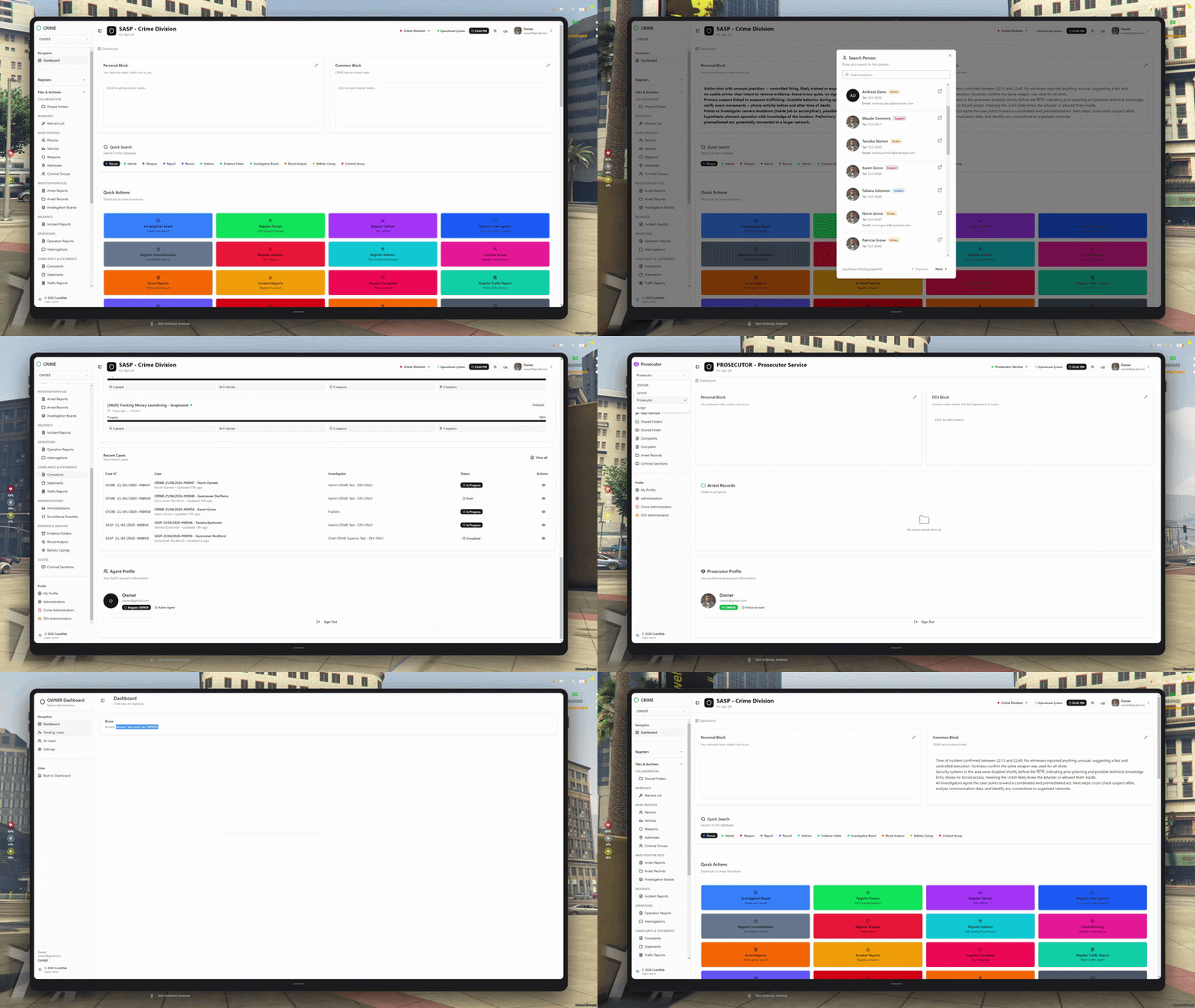
1. Dashboard — Command Center
The central hub of the MDT. Officers get a real-time overview of all activity across every module — arrests, reports, investigations, and active cases — from a single screen. Quick-create shortcuts let you open a new record in seconds without leaving the dashboard.
- Live stats: active cases, pending reports, open investigations
- Quick-create for every module — arrest record, report, board, and more
- Multi-service navigation — CRIME, Avocat, Procureur, Juge
- Recent activity feed across all linked entities
- Role-based view — each service sees only what they need
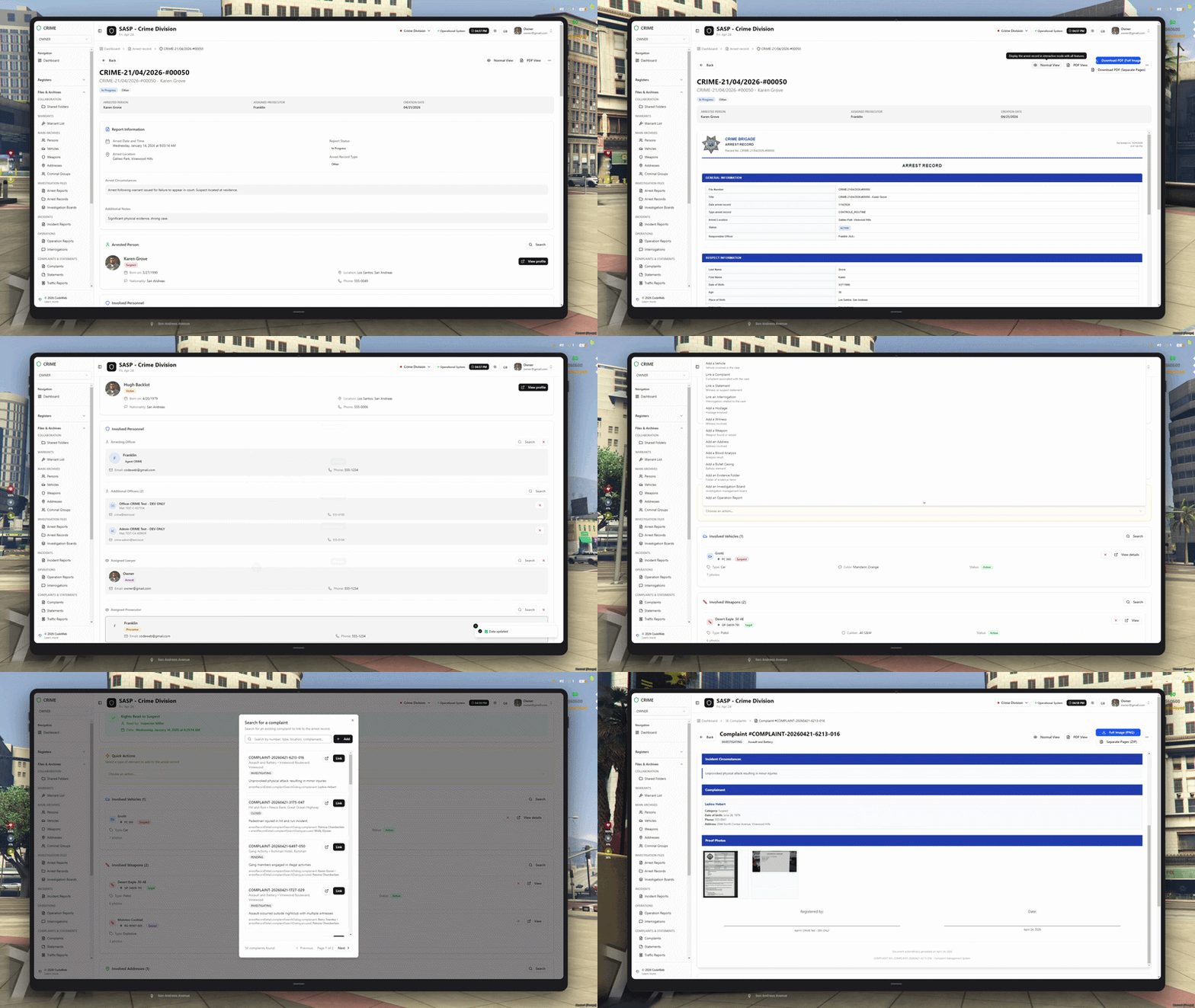
2. Arrest Record — Full Case Management
Arrest records handle serious offenses — major crimes and felonies — and follow a full judicial process from filing to judgment. Officers build the case file, then it moves to the Procureur and Juge for sentencing. Every linked entity is one click away.
- Reserved for major crimes and felonies — goes to judgment (Procureur → Juge)
- Link persons, vehicles, weapons, criminal groups, and addresses
- Attach penal sanctions with complicité and tentative modifiers
- Automatic fine and UP time calculation across all sanctions
- Full case history — officer notes, evidence, interrogations, warrants
- DOJ services read and modify sentences directly from the same record
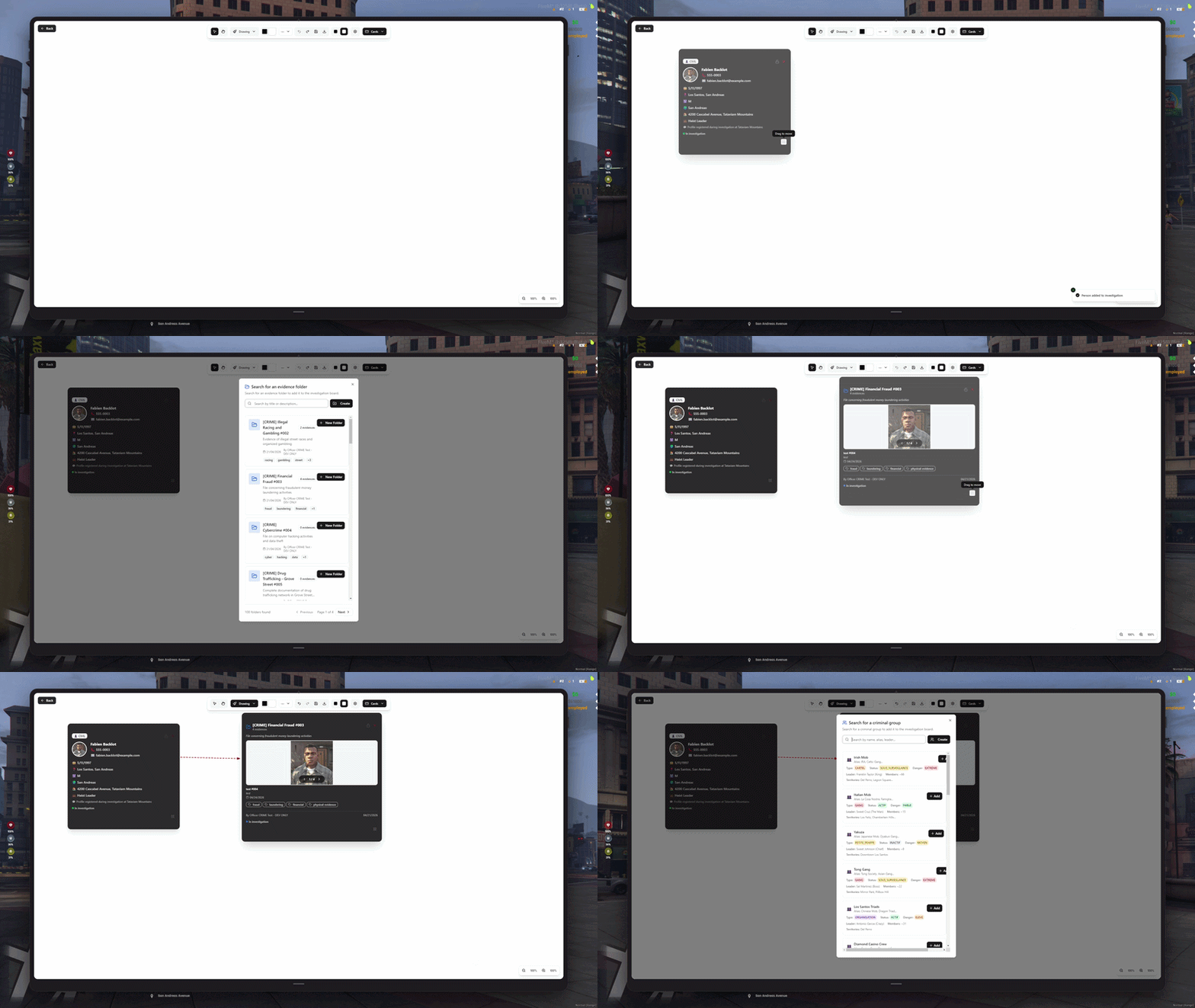
3. Investigation Board — Collaborative Canvas
A real-time collaborative investigation board where officers map out complex cases visually. Pin entities, draw connections, add notes — everything syncs live across every officer on the same board via Socket.io.
- 9 entity types: persons, vehicles, weapons, groups, addresses, and more
- Real-time collaboration — multiple officers, one live canvas
- Draw links between entities to map relationships and networks
- Sticky notes, freehand drawing, and text blocks on the canvas
- Attach boards directly to arrest records and shared folders
- Full history of changes with officer attribution
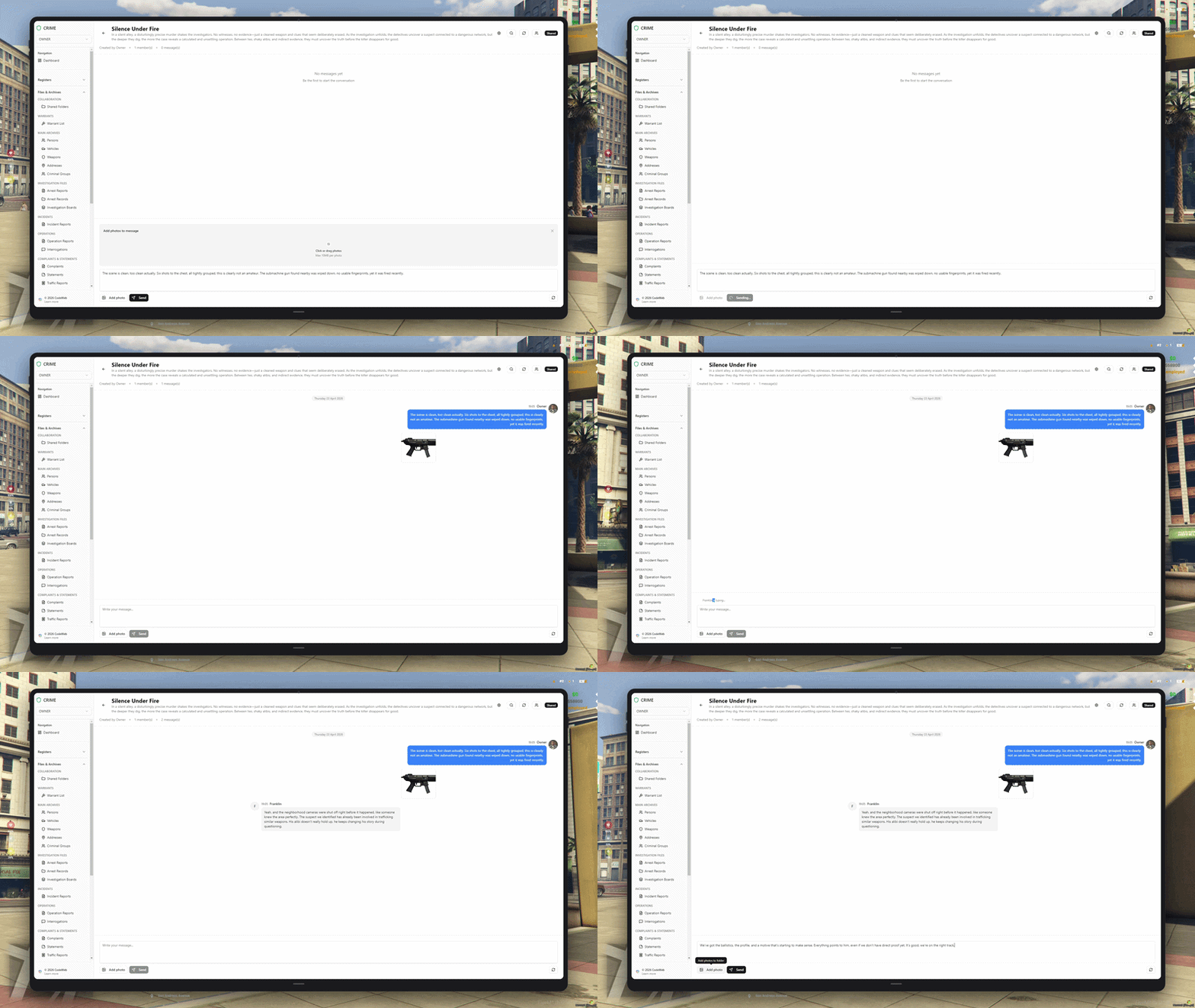
4. Shared Folders — Evidence Management
Shared evidence folders are the central archive for each case — all pieces of evidence tracked, validated, and archived in one place. Visibility levels and a full status workflow keep sensitive material controlled at every stage.
- 4 statuses: Pending, Validated, Rejected, Archived
- 3 visibility levels — control who can see each piece of evidence
- Attach files, photos, documents, and field reports
- Link evidence to arrest records, investigation boards, and persons
- Full audit trail — who added, validated, or archived each item
- DOJ services can consult evidence directly from the case file
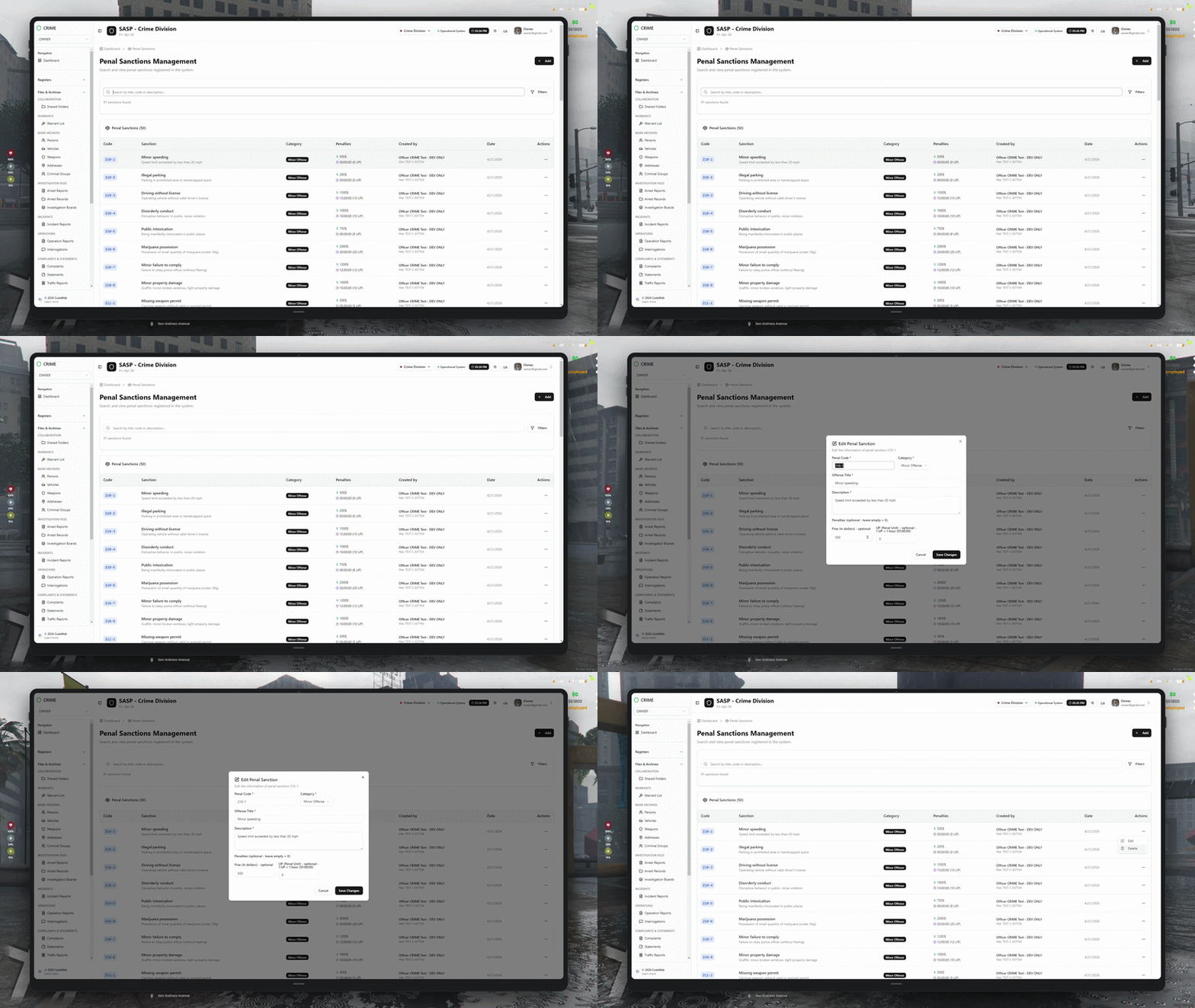
5. Penal Sanctions — Official Penalty Scale
Define your server’s entire legal code in one place. Each sanction has a unique code, category, fine, and UP time. They apply directly inside arrest records and reports, with automatic totals and modifiers for complicity and attempt.
- Unique code and title per sanction — your official legal code
- 3 categories: minor offense, major crime, felony
- Fine amount and UP time per sanction
- Complicité and tentative modifiers applied per accused
- Automatic total calculation across all sanctions in a record
- Procureur and Juge can adjust sanctions directly during judgment
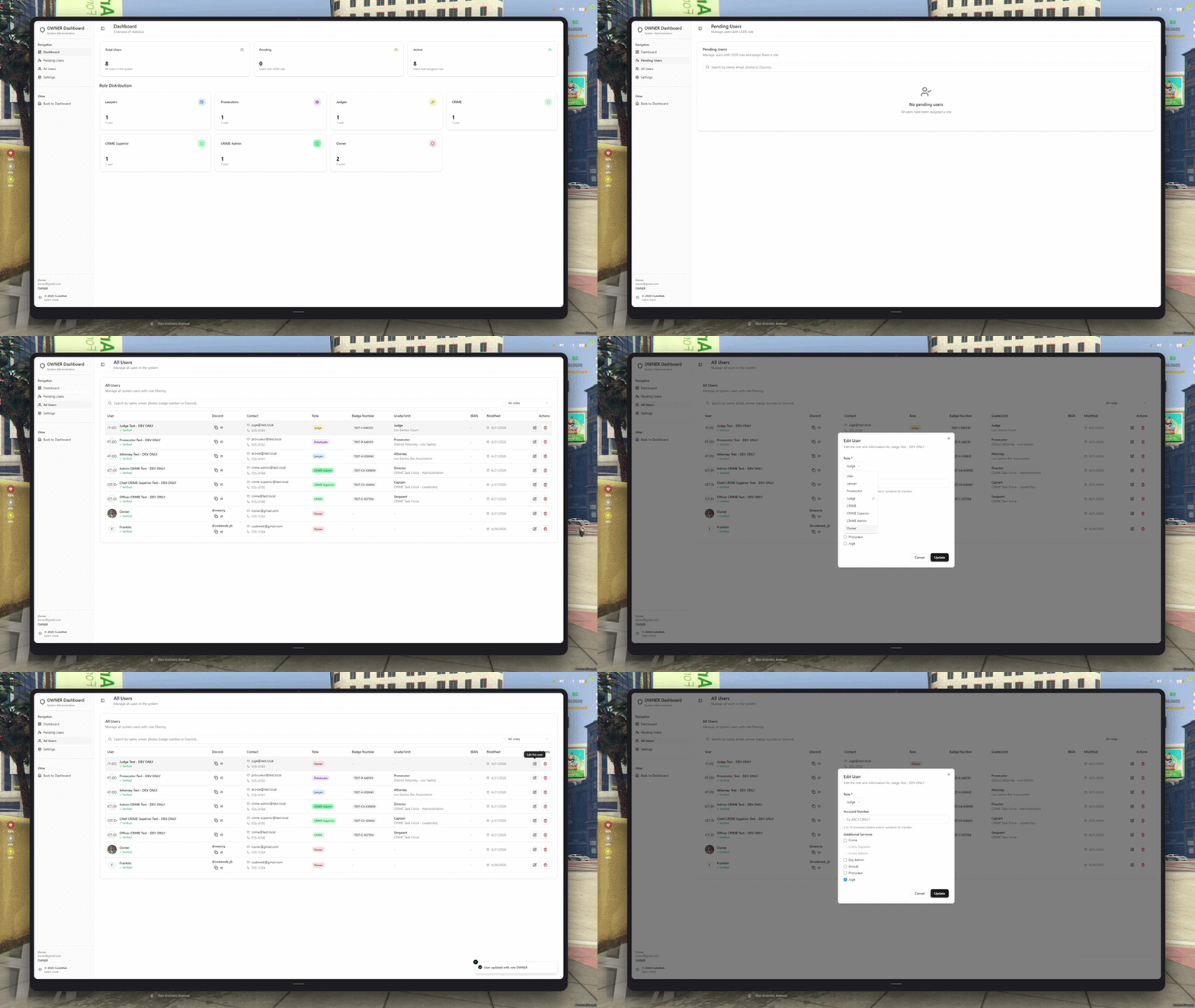
6. Owner & Admin — Multi-Service DOJ Platform
MDT Police & Justice Platform is built for the full justice chain. The Owner controls user validation and service assignments. Admins manage the platform. Each service — CRIME, Avocat, Procureur, Juge — has its own role-based view with exactly the access it needs, nothing more.
- Owner dashboard — validate users, assign roles and services
- Admin panel — full platform management and user overview
- CRIME officers: full CRUD on all records and reports
- Avocat: read-only access filtered to their own clients
- Procureur & Juge: read all cases, modify sentences and sanctions
- Every service shares the same live data — no duplicate entry
FAQ
Everything you need to know before buying
Yes — all our scripts are built with multi-framework compatibility in mind. Whether you run ESX, QBCore, or a standalone setup, the required framework and dependencies are clearly listed on each product page.
Performance is at the core of every script we write. We maintain extremely low Resmon and server-side ms values through efficient logic, event batching, and careful resource management.
Every purchase comes with a detailed setup guide covering installation, configuration, and common troubleshooting steps. Our support team is reachable via Discord and will help you get everything running.
All updates are included with your purchase. We actively maintain our scripts to stay compatible with new FiveM builds, framework updates, and Cfx.re policy changes.
Absolutely. Each script ships with a dedicated config file where you can adjust settings, labels, keybinds, and behaviour without touching the core code.
Recent Payments
Latest purchases from our community
No recent payments to display.