
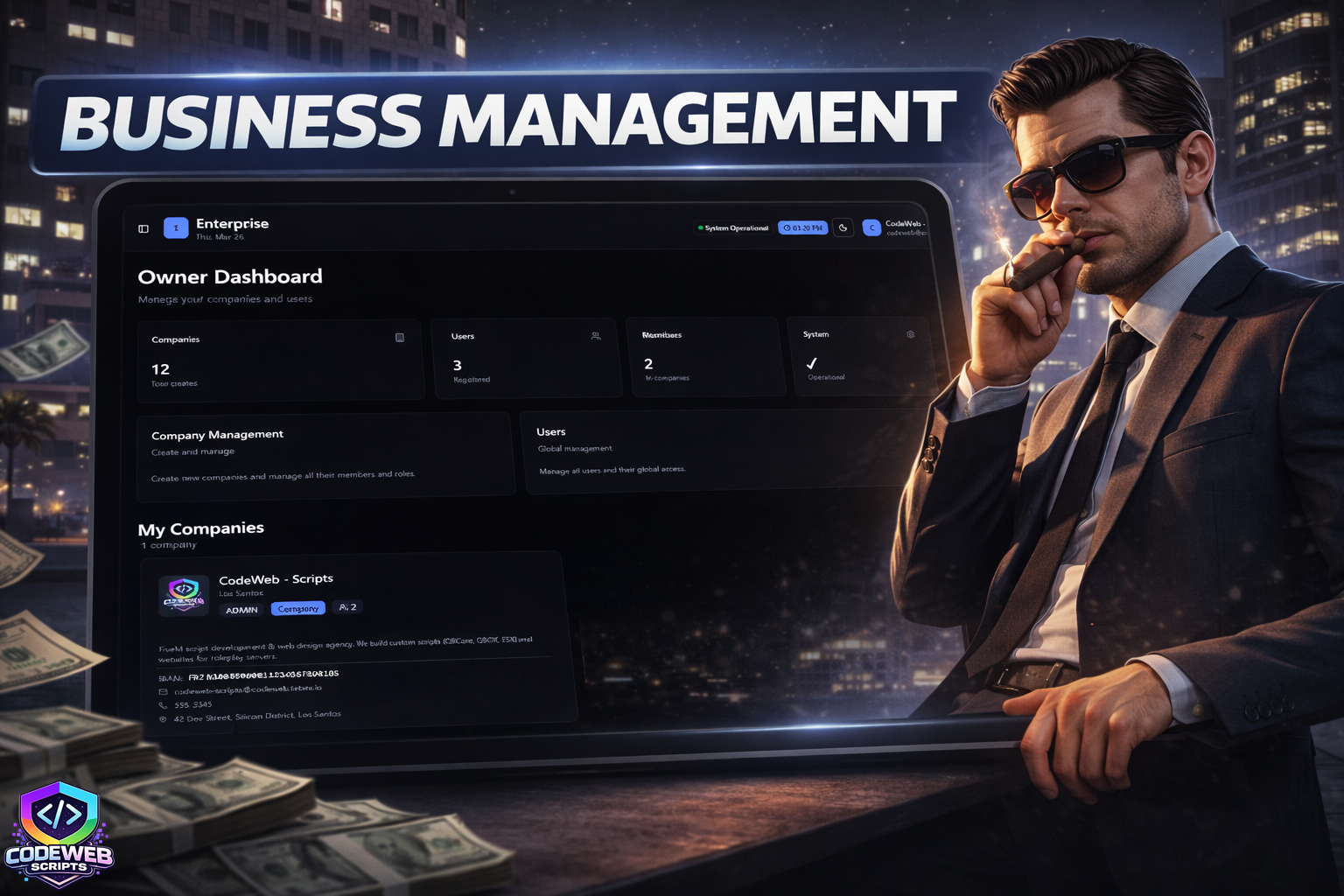
This package includes a full enterprise management web app (Next.js 15) and a FiveM tablet resource — players open a physical in-game tablet that loads your portal directly inside an iframe, authenticated automatically via Discord. The web app covers company management, invoices, contracts, salaries, and roles, with multi-language support (EN/FR) and role-based access per job. Everything is configured in a single file and ready to deploy in under 30 minutes.
- ① Database ~5 min
- ② Auth secret ~2 min
- ③ Discord OAuth ~10 min
- ④ Deploy to production ~5 min
- ⑤ FiveM tablet ~10 min
- Node.js 18.17+ — to run the web app locally or on a VPS
- PostgreSQL database — Neon (free tier) or self-hosted
- Discord application — OAuth2 credentials from Discord Developer Portal
- FiveM server — QBCore, QBOX, ESX, or standalone
- Players must have Discord linked to their CFX account
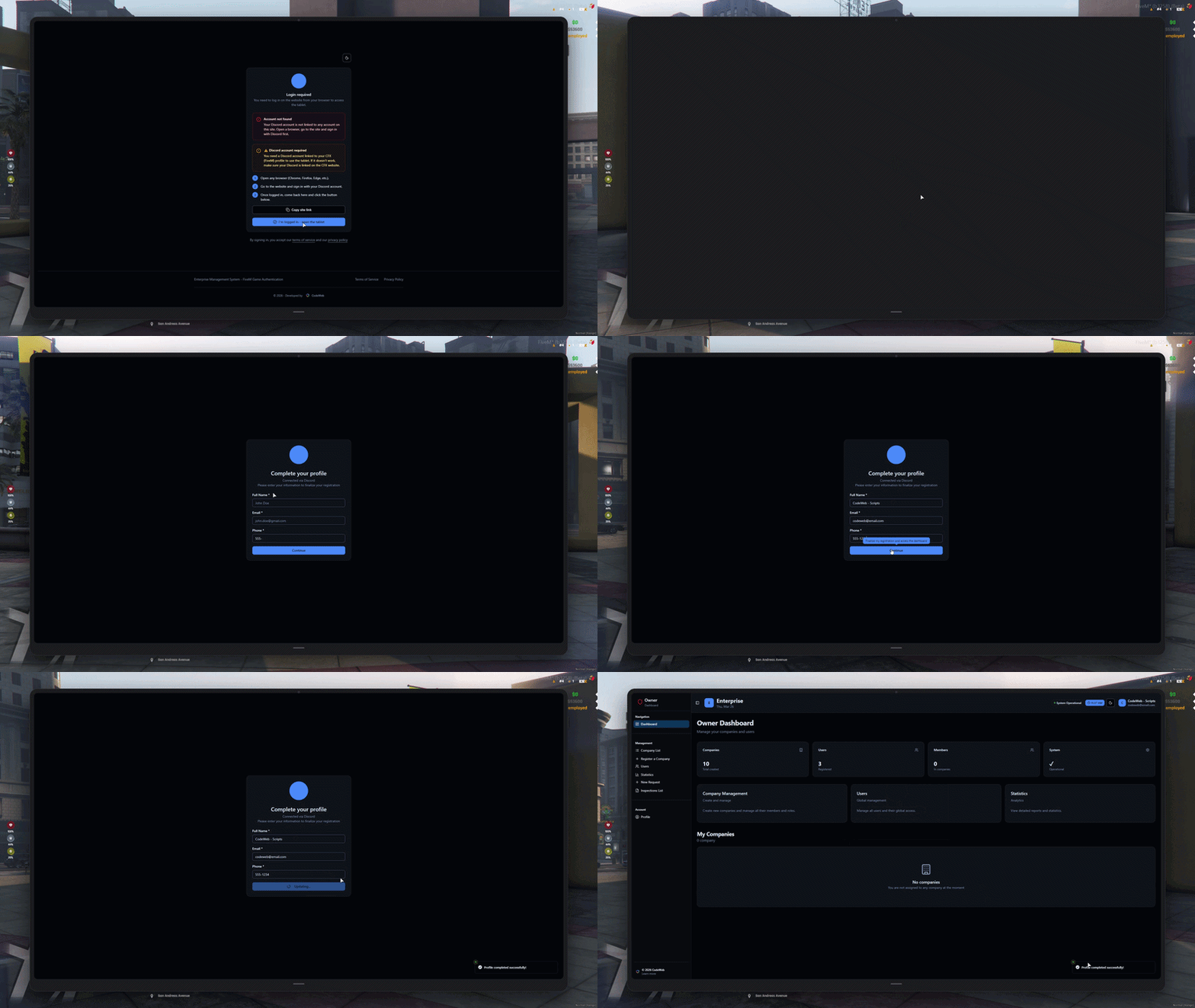
1. Discord Web Login — Browser Access
Employees and managers can log in to the business web portal directly via Discord OAuth. One click, no password required, your Discord account is your identity.
- One-click Discord OAuth login on the web portal
- Automatic account creation on first login
- Role and permission sync based on company membership
- Secure session management via BetterAuth
- Works on any browser, no FiveM required
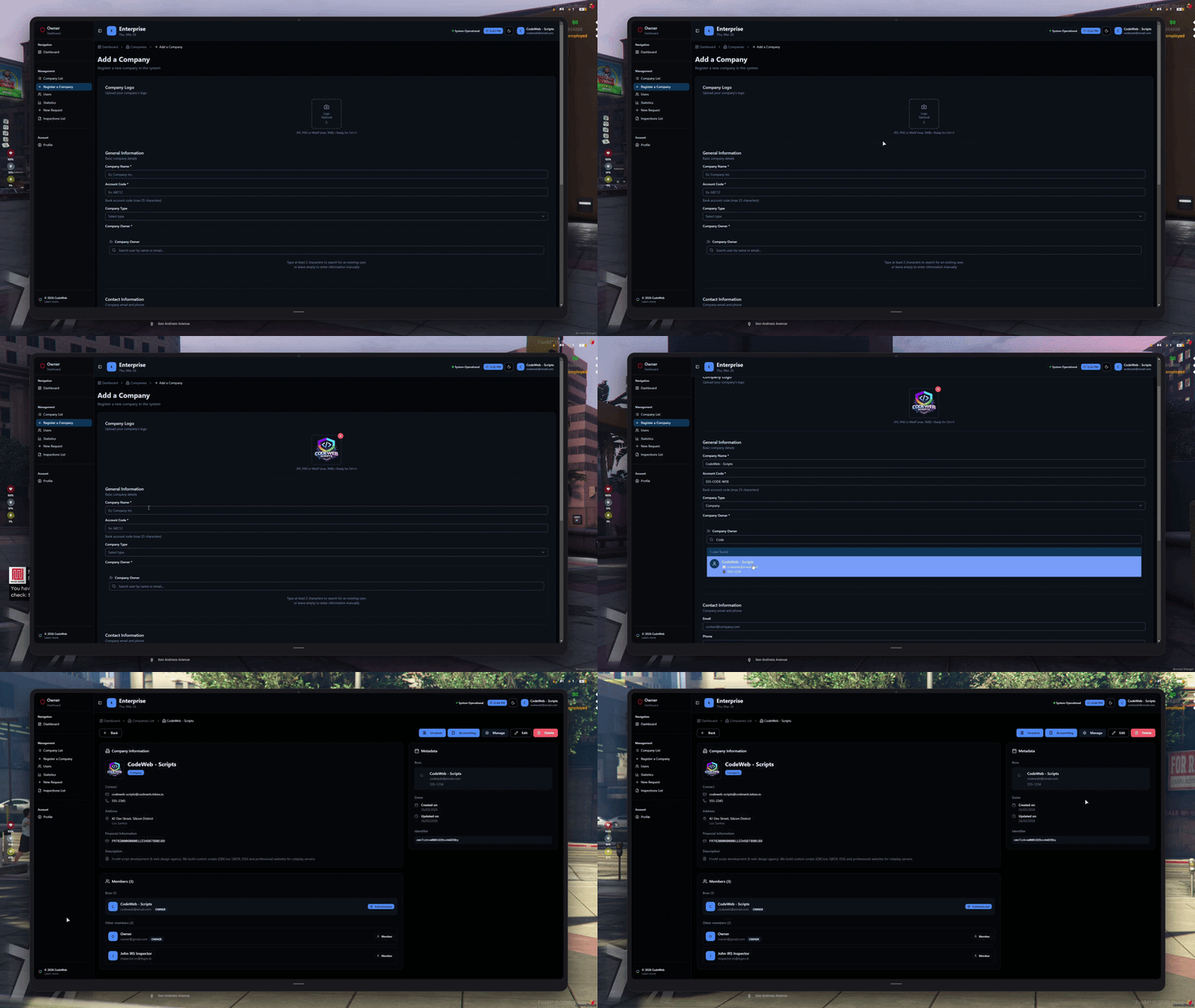
2. Company Creation — Owner Only
Only the server owner can create companies and assign a boss — like a mayor granting a business license in roleplay. Each company is fully configured at creation: name, logo, IBAN, type, and the player who will run it.
- Owner-restricted creation — no one else can create companies
- Assign a boss (Admin) at creation from existing players
- Upload a company logo, set IBAN, address, and company type
- Enable or disable the purchase module per company
- Full company list and management from the owner dashboard
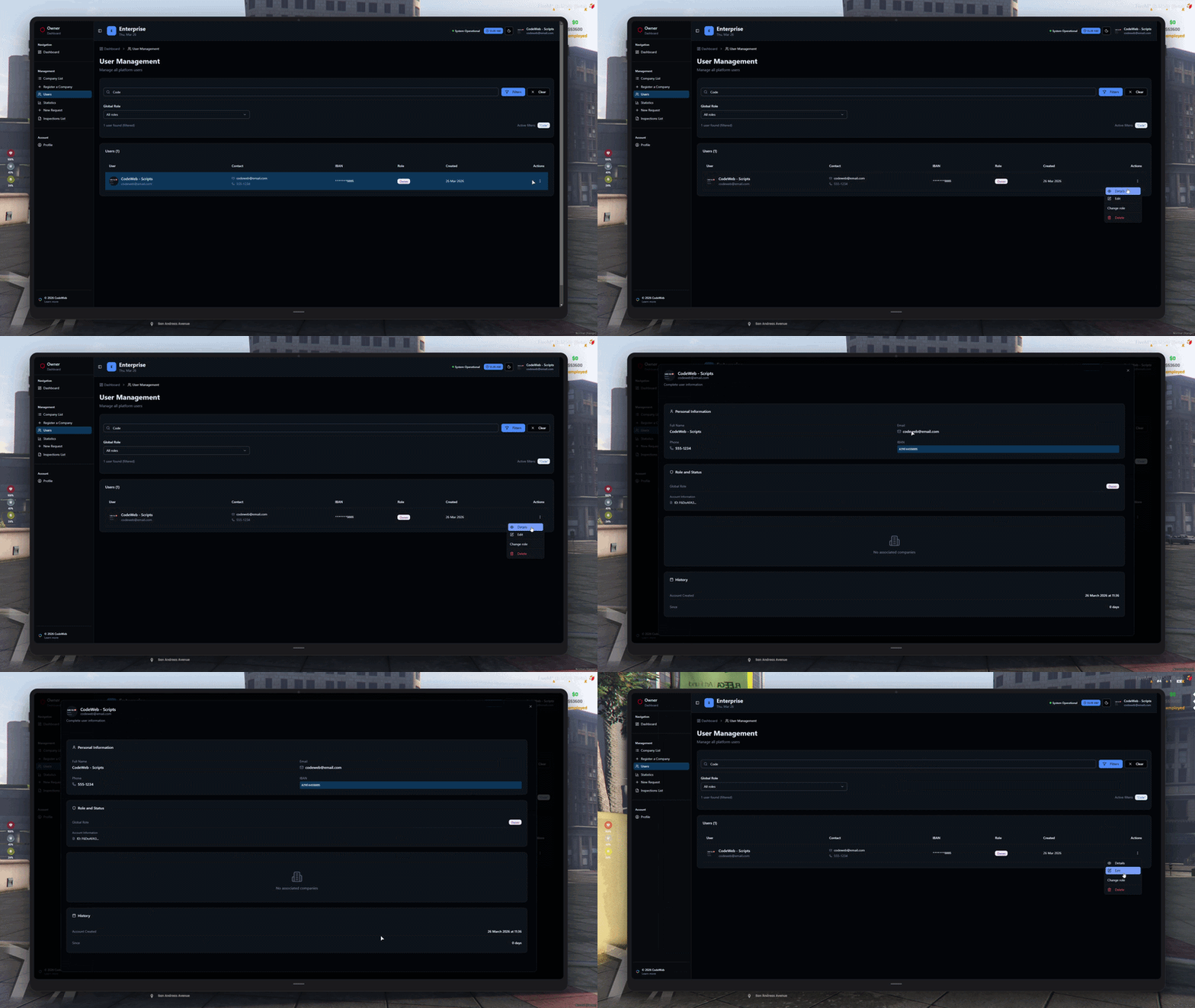
3. Member Management & Profiles
Admins manage every member of the company from a single dashboard — roles, contact info, and permissions, all in one place.
- Full member list with role, email, phone, and IBAN
- Assign roles — Admin, Manager, Accountant, Member
- Each player edits their own profile and avatar
- Role-based access — each role sees only what they need
- Discord avatar synced automatically on login
4. Financial Tools
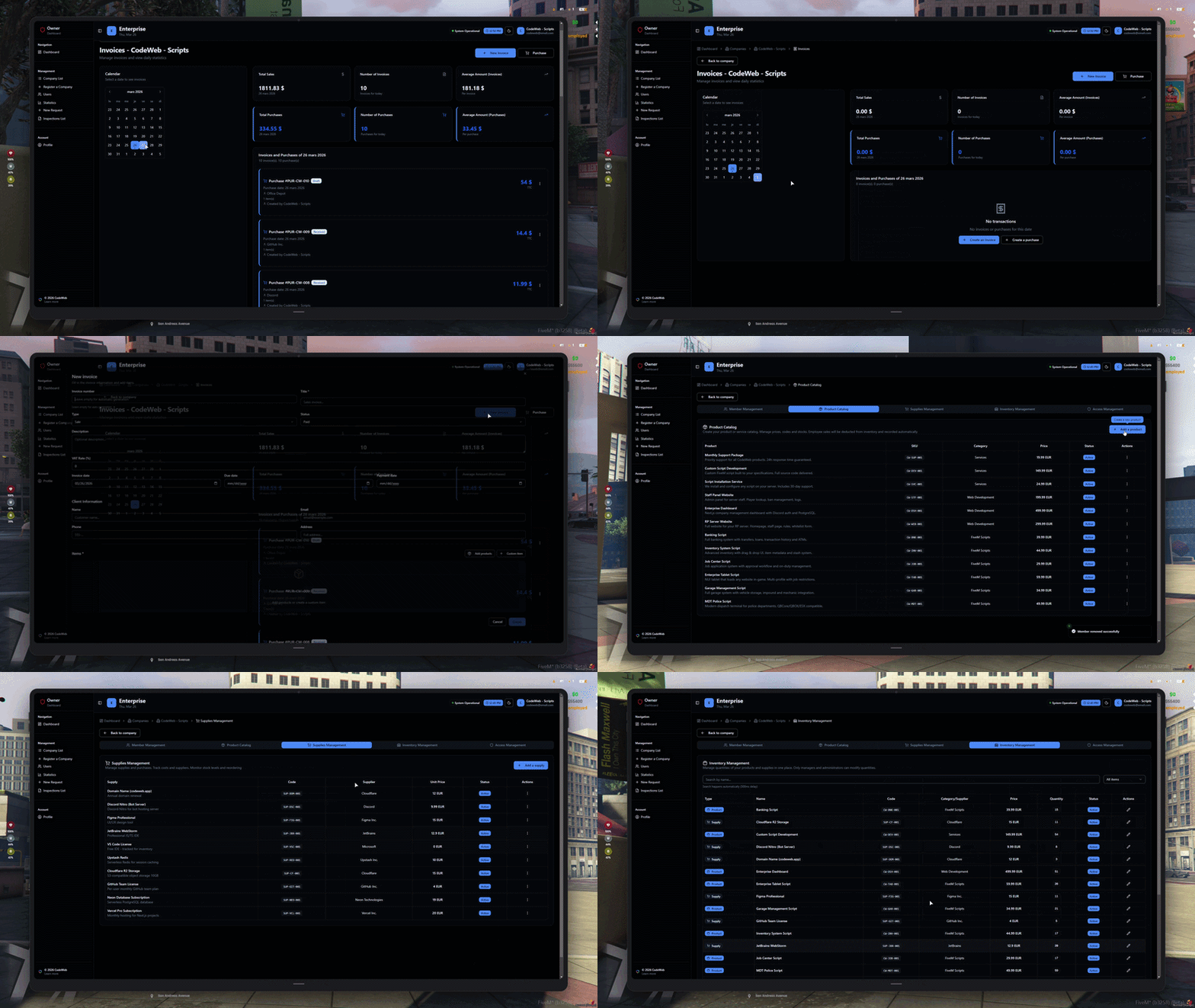
A complete financial suite built for in-game businesses — invoices, contracts, salaries, and per-employee stats, all tracked from one dashboard.
- Invoices — create, send, and track payment status
- Contracts — active, completed, and expired in one view
- Salaries — log and track payments per employee
- Per-member stats — revenue, invoices, and contracts generated
- Full history with dates and created-by tracking
5. Inspection & Access Control
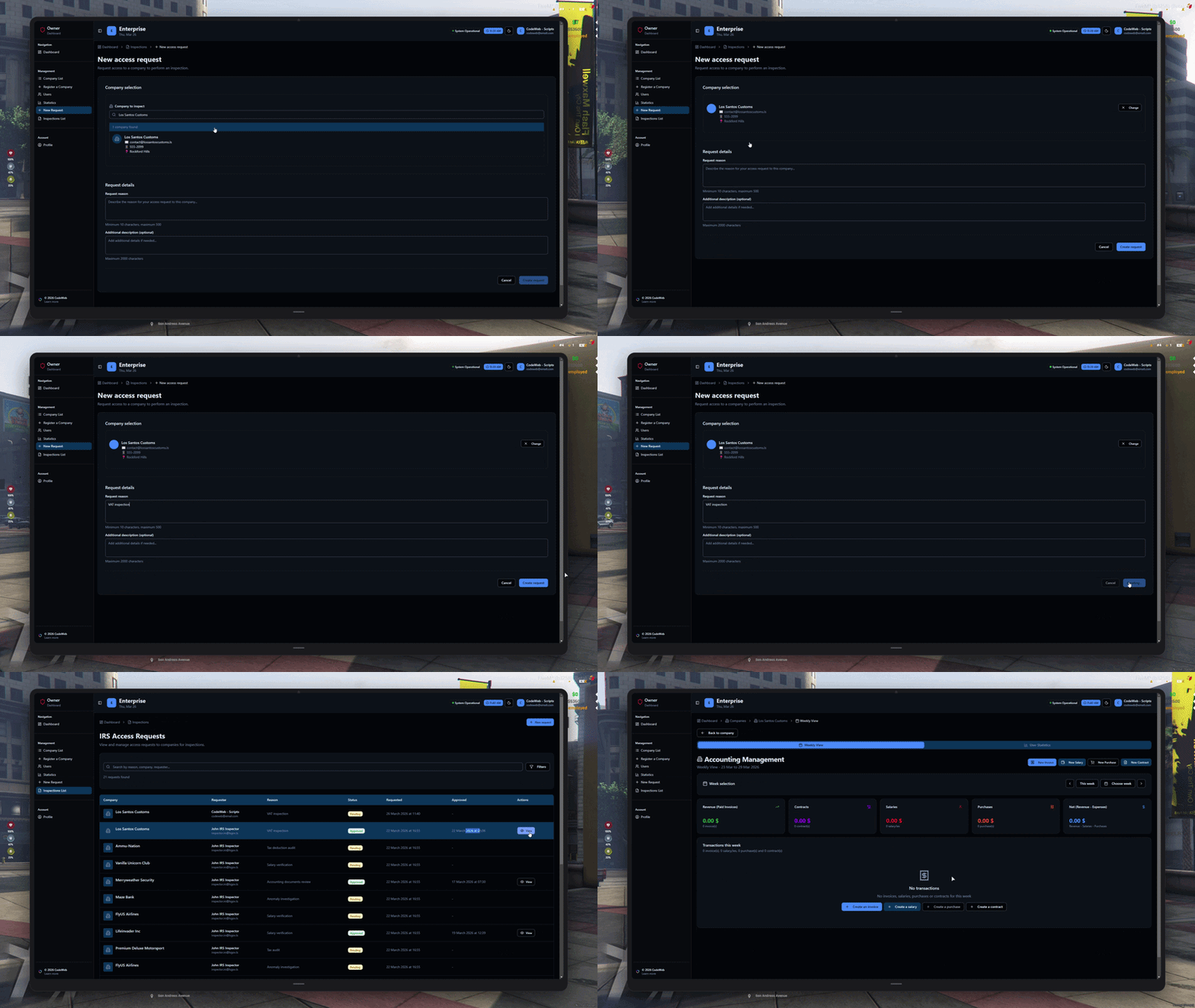
External inspectors — police, government, auditors — can request temporary portal access to a company. Admins approve or reject with a time-limited expiration.
- Inspector submits a request with reason and description
- Admin approves with a custom expiration — 1 to 90 days
- Access automatically revoked after expiration
- Full audit trail — who requested, who approved, when
- Filter by Pending / Approved from company manage panel
FAQ
Everything you need to know before buying
Yes — all our scripts are built with multi-framework compatibility in mind. Whether you run ESX, QBCore, or a standalone setup, the required framework and dependencies are clearly listed on each product page.
Performance is at the core of every script we write. We maintain extremely low Resmon and server-side ms values through efficient logic, event batching, and careful resource management.
Every purchase comes with a detailed setup guide covering installation, configuration, and common troubleshooting steps. Our support team is reachable via Discord and will help you get everything running.
All updates are included with your purchase. We actively maintain our scripts to stay compatible with new FiveM builds, framework updates, and Cfx.re policy changes.
Absolutely. Each script ships with a dedicated config file where you can adjust settings, labels, keybinds, and behaviour without touching the core code.
Recent Payments
Latest purchases from our community
No recent payments to display.